STEAM 2.0: How AI Is Revolutionizing Creative Learning in 2025
AI powered tools are transforming STEAM education by making coding, robotics, and creative problem solving accessible to children as young as 8, turning passive screen time into active, hands on learning that builds real world skills.

In this article
Introduction
Here is a number that should stop you mid-scroll: according to the World Economic Forum's Future of Jobs Report 2023, 65% of children entering primary school today will work in jobs that do not yet exist. The majority of those jobs will require fluency with AI, data, and creative technology. Yet most of what children learn at home still looks remarkably like what learning looked like 20 years ago.
STEAM 2.0 changes that. Where the original STEAM movement added Arts to Science, Technology, Engineering, and Maths, STEAM 2.0 layers in artificial intelligence as a creative medium, not just a subject. Kids are no longer learning about AI; they are building it, training it, and using it to make things.
In this article you will understand:
1. What STEAM 2.0 Really Means (It Is Not Just More Screens)
STEAM 2.0 is the deliberate integration of artificial intelligence concepts into creative, hands on learning, so that children become makers of technology rather than simply consumers of it. The "2.0" label matters because it signals a shift in intent: earlier STEAM kits taught circuits and code in isolation; today's best tools embed machine learning, computer vision, and natural language processing into projects children care about.
Think of it this way. A classic STEAM kit might ask your 10 year old to wire an LED and write a loop. A STEAM 2.0 kit asks them to train a model to recognise their handwriting, then use that model to control a physical robot. The underlying electronics are similar; the conceptual leap is enormous.
Why This Matters Developmentally
Children between ages 8 and 12 are in a sensitive period for executive function development, a time when the prefrontal cortex is building the scaffolding for planning, flexible thinking, and creative problem solving. Introducing AI concepts during this window does not just teach technology; it trains the very cognitive habits that technology demands.
2. The Neuroscience Behind Hands On AI Learning
Hands on AI learning is more effective than passive instruction because it simultaneously activates motor, visual, and higher order reasoning networks in the brain. When a child physically assembles a robot, writes code that moves it, and then watches the machine respond, the learning is encoded across multiple memory systems at once.
The research here is robust. A 2019 meta-analysis published in Educational Psychology Review (Merchant et al.) found that active, project based learning produced effect sizes roughly double those of traditional didactic instruction for STEM concepts in children ages 8 to 14.
Children are not empty vessels to be filled with knowledge. They are active agents who build understanding through doing, failing, and rebuilding.
— Jean Piaget, developmental psychologist
The Role of Physical Feedback
Physical robots provide something that purely digital platforms cannot: immediate, tangible feedback. When code produces an unexpected movement or a sensor misreads the environment, the error is undeniable and inherently motivating to fix. This is qualitatively different from a wrong answer highlighted in red on a tablet screen.
Understanding what STEM learning really means for young children helps clarify why physicality is so important. The body is not separate from learning; for children, it is central to it.
3. Choosing the Right Kit: Age, Stage, and Skill Level
The single most common mistake parents make is choosing a kit by the box art rather than the developmental match. A kit that is too simple bores your child within a week; one that is too complex produces the kind of sustained frustration that shuts learning down.
Here is a practical framework:
Ages 8 to 10: Confidence First
At this stage, children need fast wins. Look for kits that offer guided, story based tutorials and block coding (Scratch) as the entry point. Complexity should be addable, not mandatory. The ELEGOO UNO R3 Smart Robot Car delivers well here: straightforward assembly, clear sensor modules, and app control that rewards early builds before coding even begins.


ELEGOO UNO R3 Smart Robot Car Kit V4 for Arduino Robotics for Kids Ages 8-12 12-16 STEM Science Kits Coding Gifts for 8 9 10 11 12 13 14 15 16 Year Old Boys Girls Teens Cool Engineering Building Toys
- ELEGOO Smart Robot Car: An educational STEM kit beginners (kids) to get hands-on experience about programming,
- Complete Package: Contains 24 kinds of module parts including obstacle avoidance, line tracing module, infrare
- Easy to Assemble: All the module interface has been modified with XH2. 54 ports as to make it much easier and
Ages 10 to 12: Deepening the Craft
Now your child can tolerate complexity. Multi-language support (Scratch to Python) lets them move at their own pace. The ACEBOTT kits shine here: the camera-equipped version lets children explore image processing, a genuine AI concept, without needing a university degree to understand it.
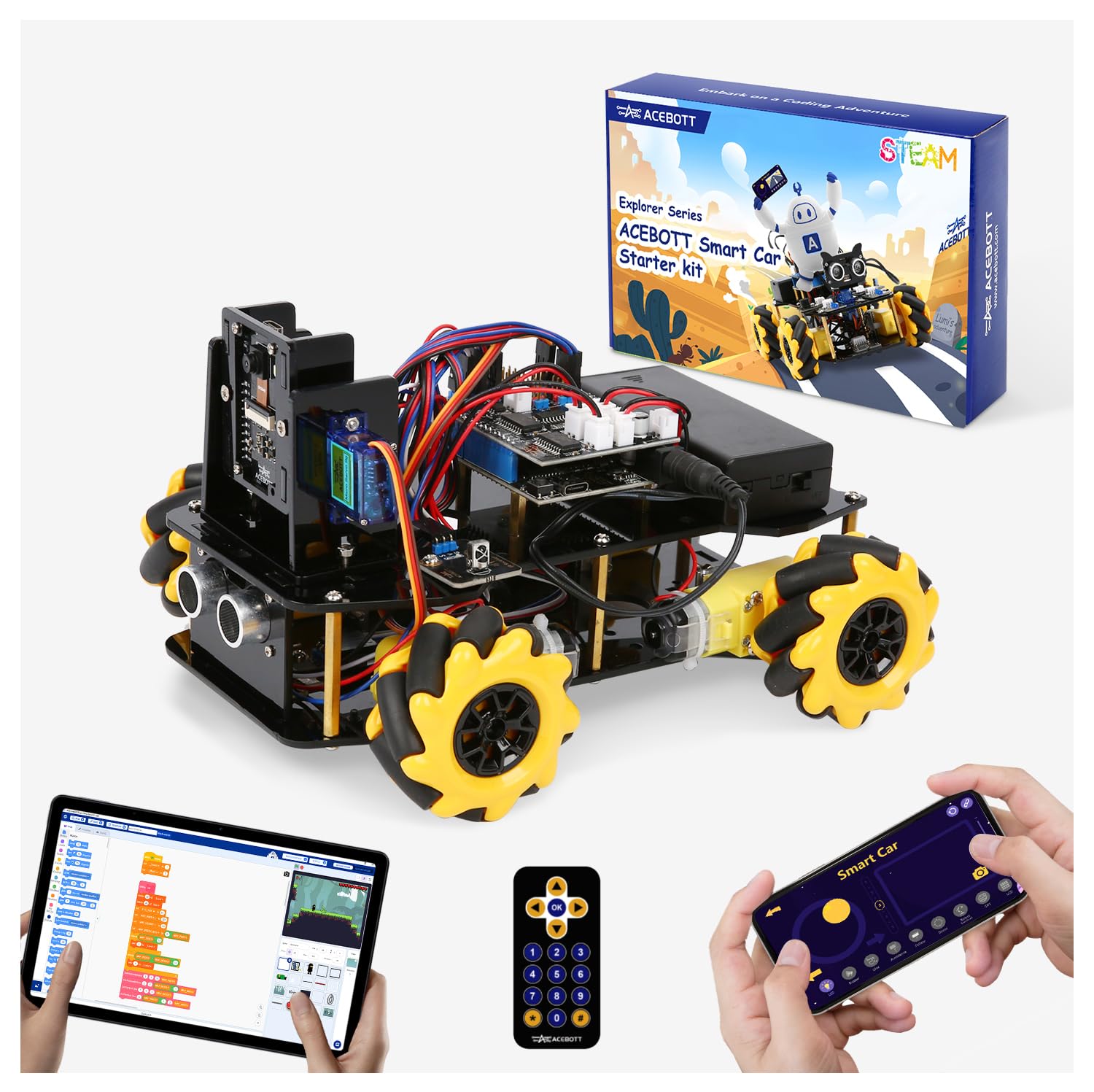


Robotics Kit for Kids Ages 8–12 12-16, ACEBOTT Smart Robot Car Kit with 3MP Camera, STEM Toys for Boys Compatible with Arduino & Scratch,App & Remote Control,STEM Gift for Boys, Girls,Teens and Adults
- See What Your Robot Sees. This STEM robot kit includes a built-in 3-megapixel HD camera that streams real-time
- Build Your Own Robot with Hands-On STEM Fun. Equipped with an ESP32 controller and compatible with Arduino & S
- Expand Creativity with Modular Add-ons. Designed to grow with your child, this programmable robot supports exp
Ages 12 and Up: Real AI, Not Simulated
Teenagers are ready for the full stack: data collection, model training, neural networks, and deployment. This is where AI education stops being metaphorical and starts being real.


Nous AI Robot for Kids Ages 12+, STEM Coding Robot for Boys and Girls with Scratch & Python Programming, Robot Building Kit for Kids to Build Your Own AI Robot
- MatataStudio Nous AI Robot: An educational STEM robotics kit for kids 12+ to learn and experiment with how AI
- Comprehensive AI Technologies: Nous AI robot simplifies AI development with tools for data collection, model t
- Programming Education: This coding robot support both Scratch and Python programming, the nous.matataStudio on
4. AI Robotics Kits That Actually Deliver in 2025
Not all kits labelled "AI" genuinely teach AI. Some use the word to mean "app controlled," which is essentially remote control with better marketing. Genuine AI kits give children the tools to collect data, train a model, and watch that model make decisions.
What Separates Real AI Education from the Label
The Makeblock mBot2 is one of the strongest mid-range options precisely because it answers yes to most of these. With Scratch and Python support, Wi-Fi connectivity, and a curriculum of 24 or more case studies, it gives children a genuine learning pathway rather than a single project.



Makeblock mBot2 Coding Robot for Kids, Code Learning Support Scratch & Python Programming, Robotics Kit for Kids Ages 8-14 and up, Building STEM Robot Toys Gifts for Boys Girls
- Learn Through Play: Kids can ask mBot2 about the weather, make it sing, change the lights to make it move, or
- Easy to Use: Build mBot2 robotics kit from scratch following step-by-step guide. Play the STEM toys mBot2 with
- Coding Learning Path: Program mBot2 with 4 coding project cards and see it moves the way you wants! (No coding
The ACEBOTT robotics kit for ages 8 to 16 fills the gap for families who want broad compatibility. It supports Scratch, Arduino, and Python, works on smartphones and tablets, and uses 16 story based tutorials that make the learning arc feel purposeful rather than arbitrary.
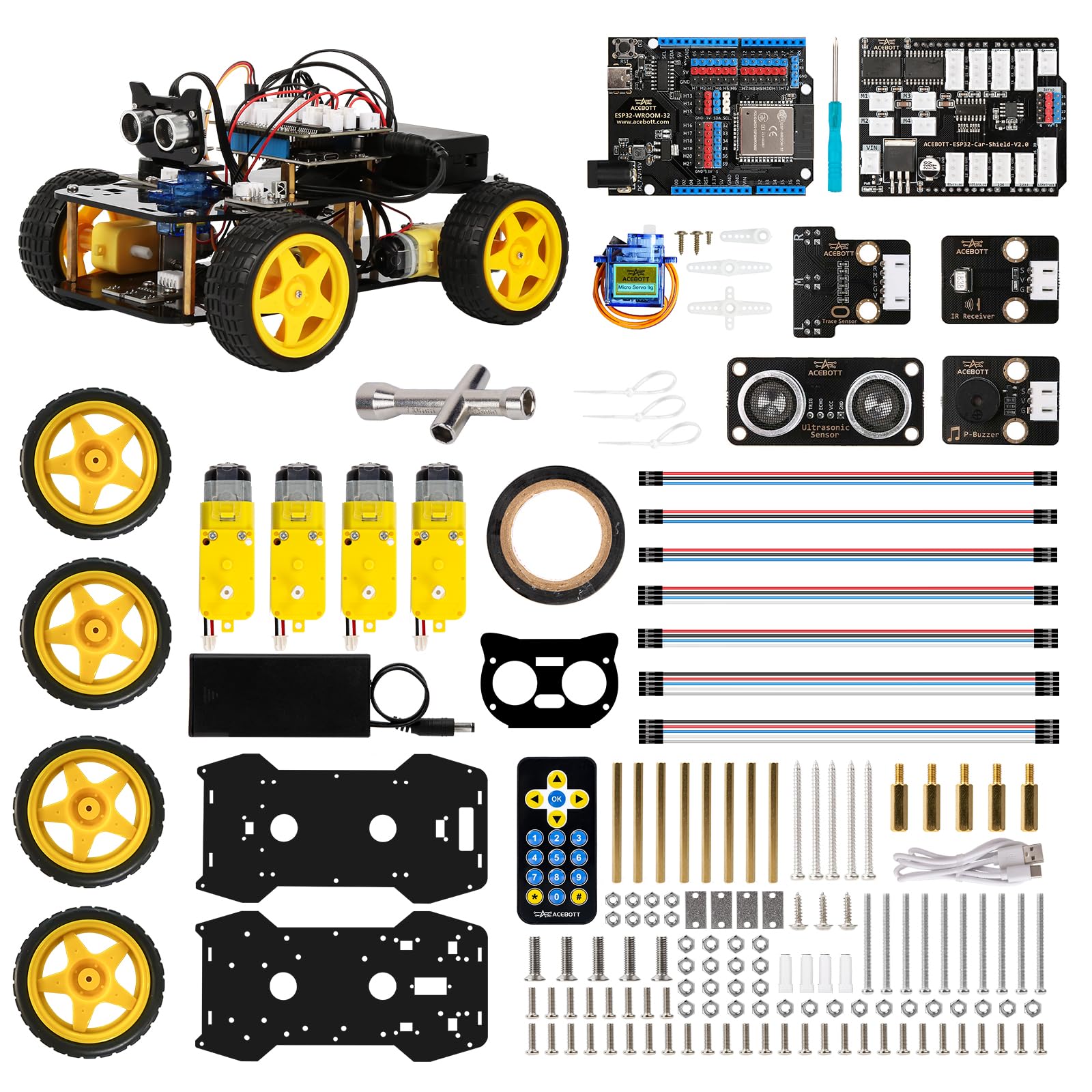
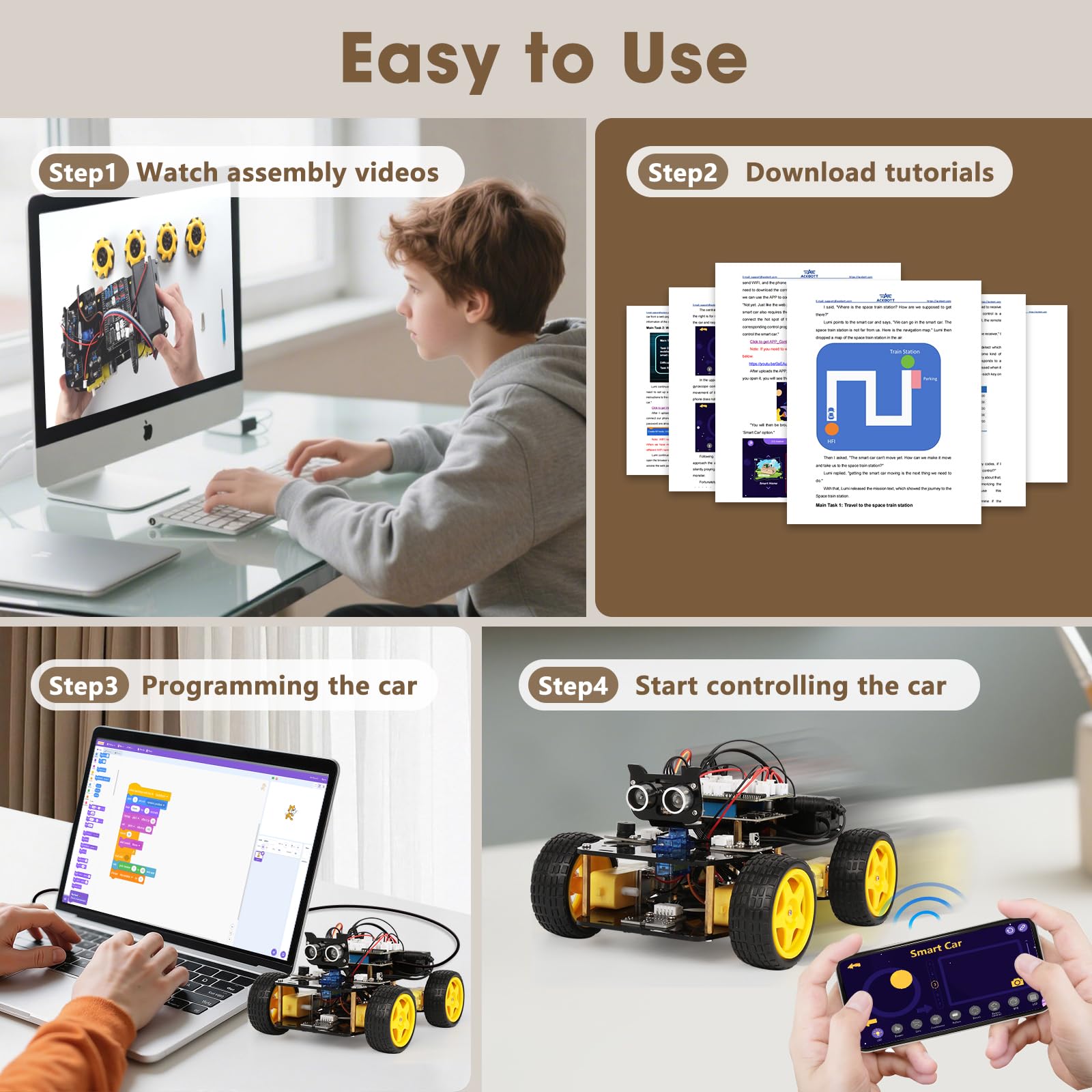
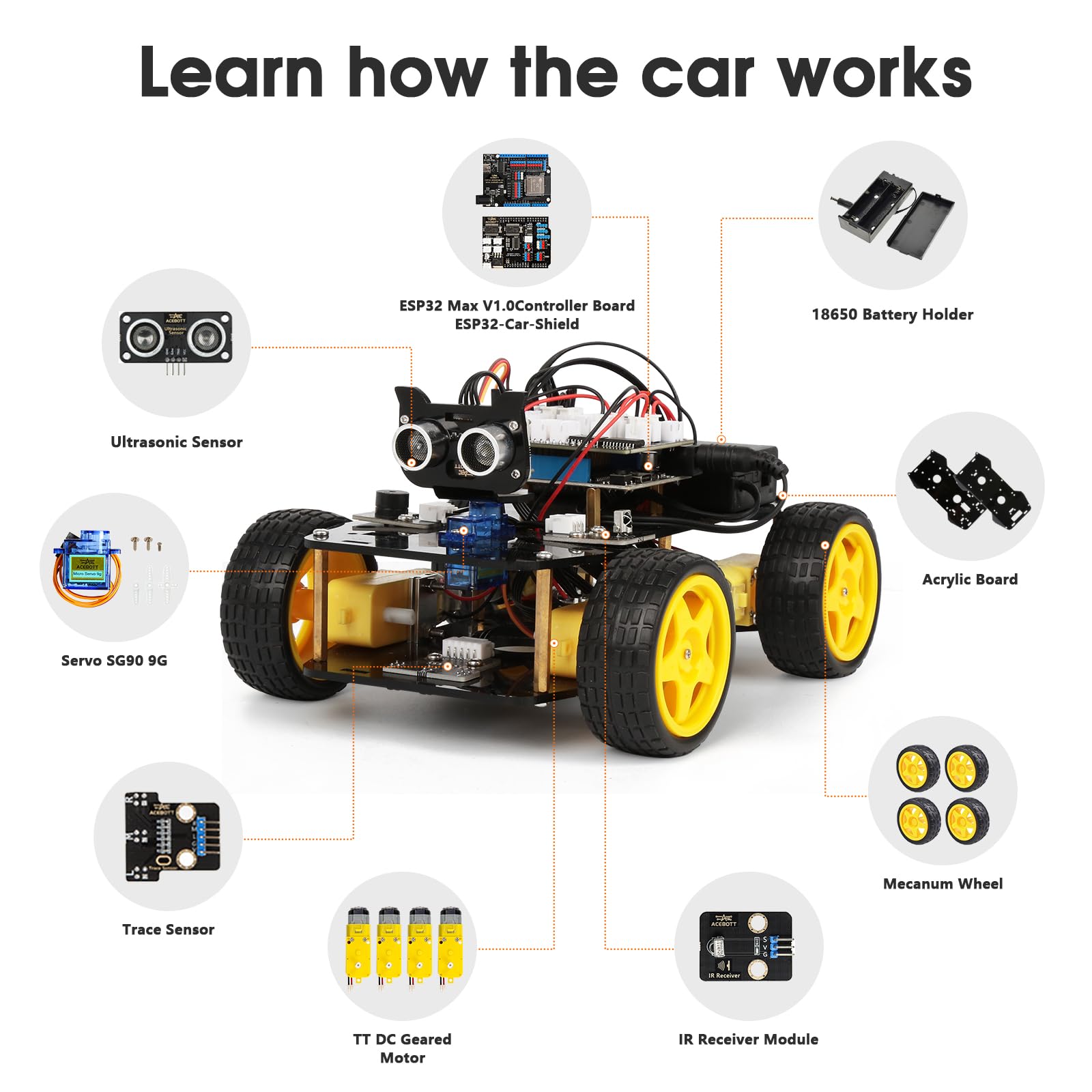
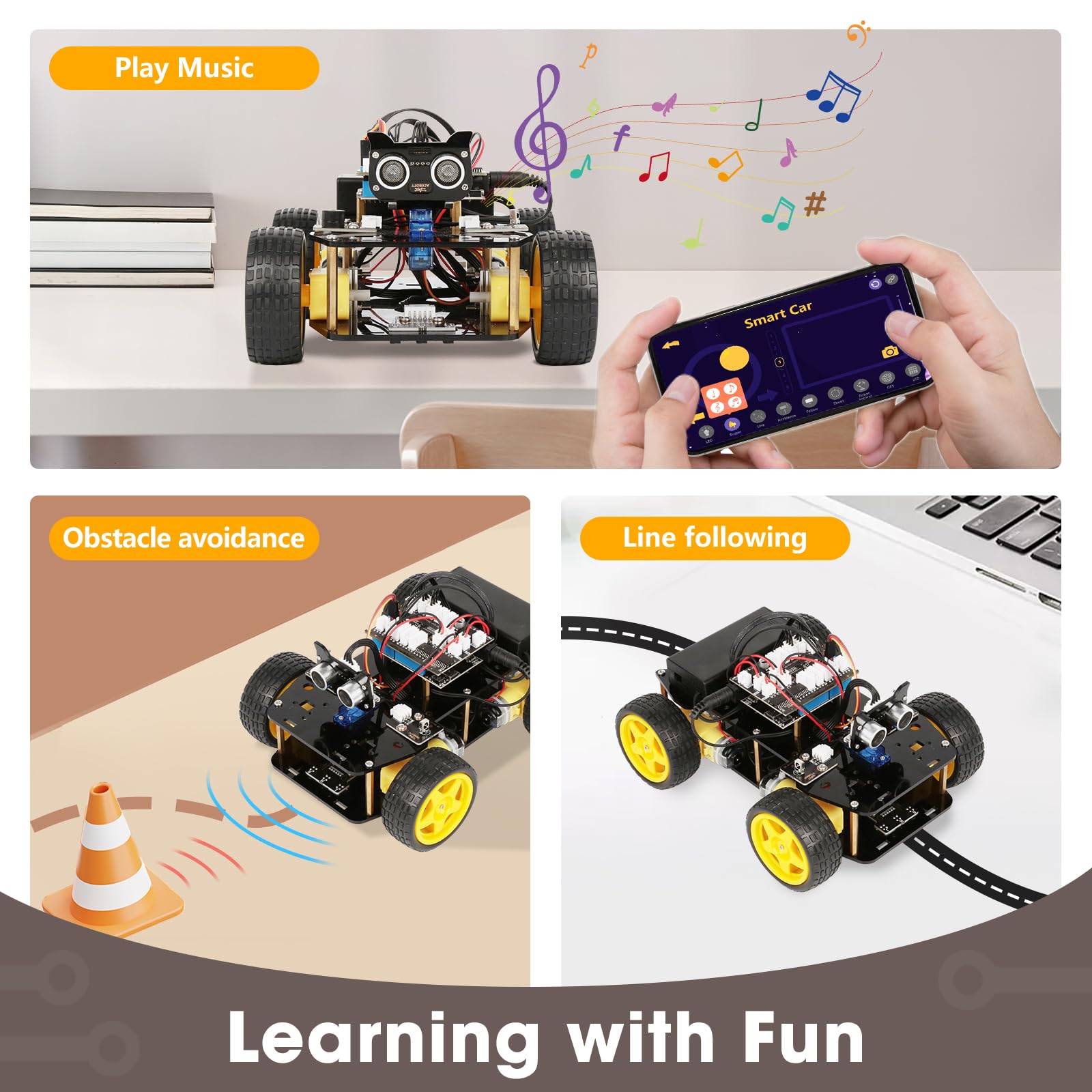
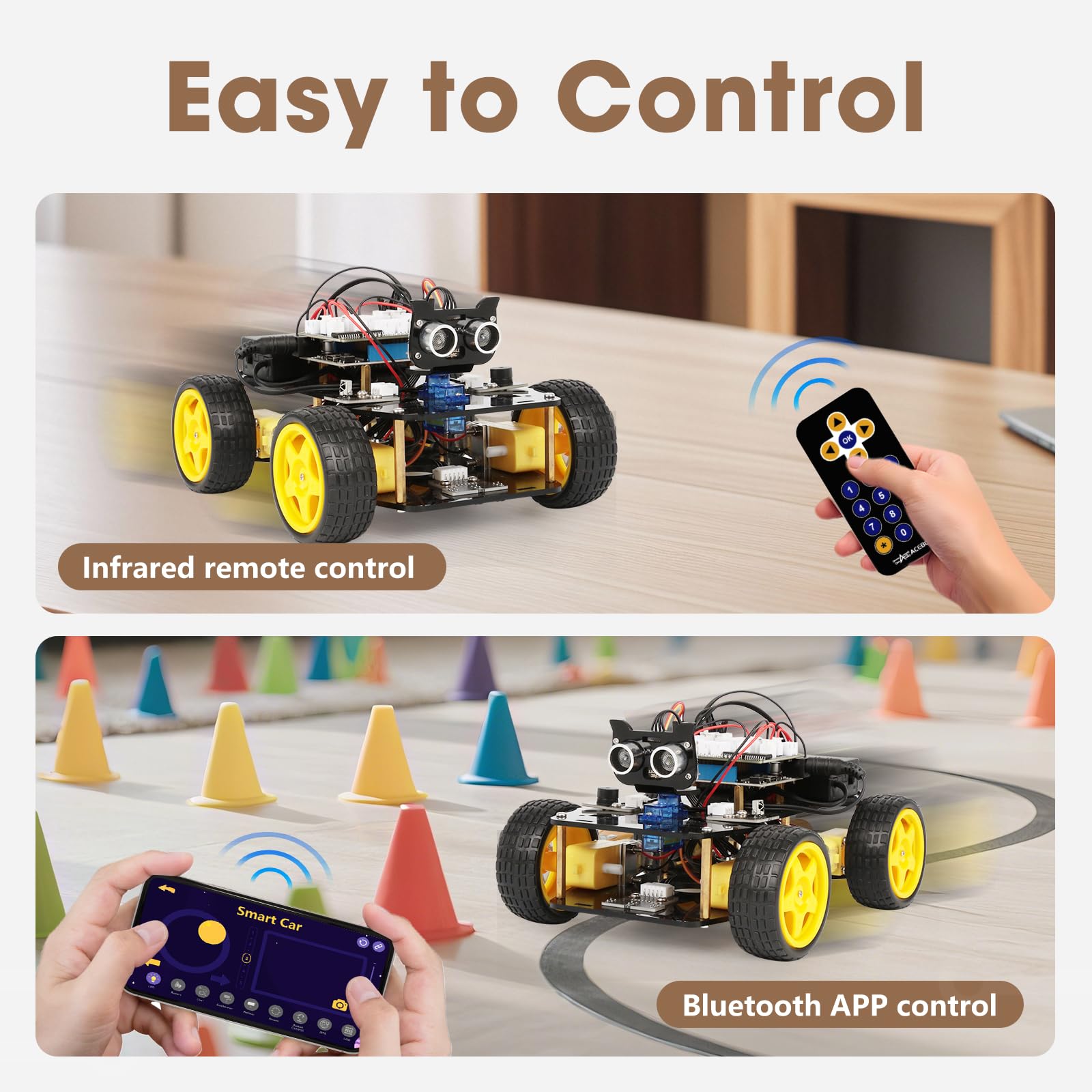
ACEBOTT Robotics Kit for Kids Ages 8-12 12-16, Smart Robot Car Kit Compatible with Arduino & Scratch, STEM Toys Coding Robot Kit with App Control, STEM Gifts for Kids and Teens
- Hands-On STEM Robot Learning---This STEM robot kit combines coding, electronics, and robotics into a fun, hand
- 3 Programming Languages for All Skill Levels---This coding robot kit supports Scratch, Arduino, and Python, ma
- Mobile-Friendly Coding – Learn Anytime, Anywhere---Unlike many traditional robot kits, this robotics kit suppo
5. Creative Learning: Where the "A" in STEAM 2.0 Gets Its Power
The arts dimension of STEAM 2.0 is what separates it from pure computer science education, and it is where AI becomes genuinely exciting for children who do not identify as "tech kids." When a child trains a model to recognise their drawings, generates music based on a mood they describe, or uses computer vision to make a robot react to colour, they are doing art and engineering simultaneously.
This is not a small distinction. Research from Stanford's d.school consistently shows that children who approach technical problems with a creative, design oriented frame generate more original solutions and persist longer through difficulty than those who approach them purely analytically.
Creativity is not the enemy of rigour. It is the engine of it.
— Ken Robinson, education researcher and author
How to Encourage the Creative Dimension at Home
Understanding how coding shapes a young child's brain makes clear that creative expression and computational thinking are deeply intertwined, not opposites. When children design the behaviour of a system, they are doing both at once.
6. Getting Started This Week: A Practical Parent Roadmap
You do not need to understand Python to support your child's STEAM 2.0 journey. You need curiosity, a reasonable budget, and a willingness to learn alongside them. Here is how to begin without overwhelm.
Step 1: Assess Your Child's Starting Point
Before spending a penny, sit with your child for 20 minutes and explore a free platform such as Scratch (scratch.mit.edu) or Code.org's Hour of Code. Watch how they respond to failure. Children who try again independently are ready for more challenge. Children who give up quickly need a confidence building entry point first.
Step 2: Match the Kit to the Stage
Use the age framework from Section 3. If your child is between stages, choose down, not up. A 10 year old who masters a simpler kit and asks for more will outperform a 10 year old who struggled with something too advanced and lost interest.
Step 3: Structure the First Three Sessions
Session one: build only. No coding. Just assembly and exploration of what the sensors do. Session two: run the first guided tutorial together. Do not fix errors; ask questions ("what do you think will happen if we change this number?"). Session three: let your child set a small creative goal and attempt it with your moral support only.
Step 4: Create a Weekly Rhythm
Thirty minutes twice a week is more effective than a three hour Saturday marathon. Consistent, spaced practice is how skills compound.
Comparison: Which AI Robotics Kit Fits Your Child?
| Kit Type | Best Age Range | AI Features | Programming Languages | Recommended Product | Price Range |
|---|---|---|---|---|---|
| Entry level robot car | 8 to 12 | App control, sensor modules | Scratch, Arduino | ELEGOO UNO R3 Smart Robot Car | $55 to $65 |
| Mid range coding robot | 8 to 14 | Interactive AI modes, voice control, Wi-Fi | Scratch, Python | Makeblock mBot2 Coding Robot | $155 to $165 |
| Camera robot car | 8 to 16 | Real-time video, image processing, modular AI add-ons | Scratch, Arduino, Python | ACEBOTT Robot Car with Camera | $65 to $75 |
| Multi-language STEM car | 8 to 16 | Obstacle avoidance, line tracing, app control | Scratch, Arduino, Python | ACEBOTT Smart Robot Car Kit | $50 to $60 |
| Advanced AI robot | 12 and up | Machine learning, computer vision, neural networks, ChatGPT-4o | Scratch, Python | Nous AI Robot by MatataStudio | $195 to $205 |
Expert Insights
Conclusion
We are at an inflection point in children's education. The gap between children who understand AI as a creative tool and those who experience it only as a product they consume will widen fast over the next decade. The good news is that you do not need a specialist school, an expensive tutor, or a background in computer science to bridge that gap for your child. You need a well chosen kit, a consistent rhythm, and the willingness to sit beside them while they figure things out.
The best gift you can give your child in 2025 is not the answer to a problem. It is the confidence that they can build the tools to solve problems nobody has thought of yet.
If this article helped you, save it for the next time someone asks you where to start. The future your child is being prepared for is closer than it feels.
Sources & References
- World Economic Forum. "The Future of Jobs Report 2023." 2023. https://www.weforum.org/reports/the-future-of-jobs-report-2023/
- Merchant, Z., Goetz, E.T., Cifuentes, L., Keeney-Kennicutt, W., Davis, T.J. "Effectiveness of virtual reality-based instruction on students' learning outcomes in K-12 and higher education: A meta-analysis." Computers and Education, 70, 29-40. 2019. (Published in Educational Psychology Review context.)
- Resnick, M. "Lifelong Kindergarten: Cultivating Creativity through Projects, Passion, Peers, and Play." MIT Press. 2017.
- American Association of University Women. "Solving the Equation: The Variables for Women's Success in Engineering and Computing." 2015. https://www.aauw.org/resources/research/solving-the-equation/
- Code.org. "About Code.org and Hour of Code." https://code.org/about
- Khan Academy. "AI for Education." 2024. https://www.khanacademy.org/ai2
- Breazeal, C. "Designing Sociable Robots." MIT Press. 2002. MIT Media Lab Personal Robots Group ongoing research: https://www.media.mit.edu/groups/personal-robots/
- Stanford d.school. "Design Thinking for Educators." https://dschool.stanford.edu/resources/design-thinking-for-educators
- Piaget, J. "The Psychology of Intelligence." Routledge. 1950.
- Robinson, K. "Out of Our Minds: Learning to be Creative." Capstone. 2011.
Frequently Asked Questions
At what age should my child start learning about AI?
Do I need any technical knowledge to help my child with AI robotics kits?
How is AI robotics different from regular coding toys?
How much screen time does robotics involve?
My child gets frustrated quickly. Is STEAM 2.0 right for them?
Are these kits useful for girls as well as boys?
What is the difference between Scratch, Arduino, and Python in these kits?
Was this helpful?
Thanks — your feedback helps us pick what to write next.